
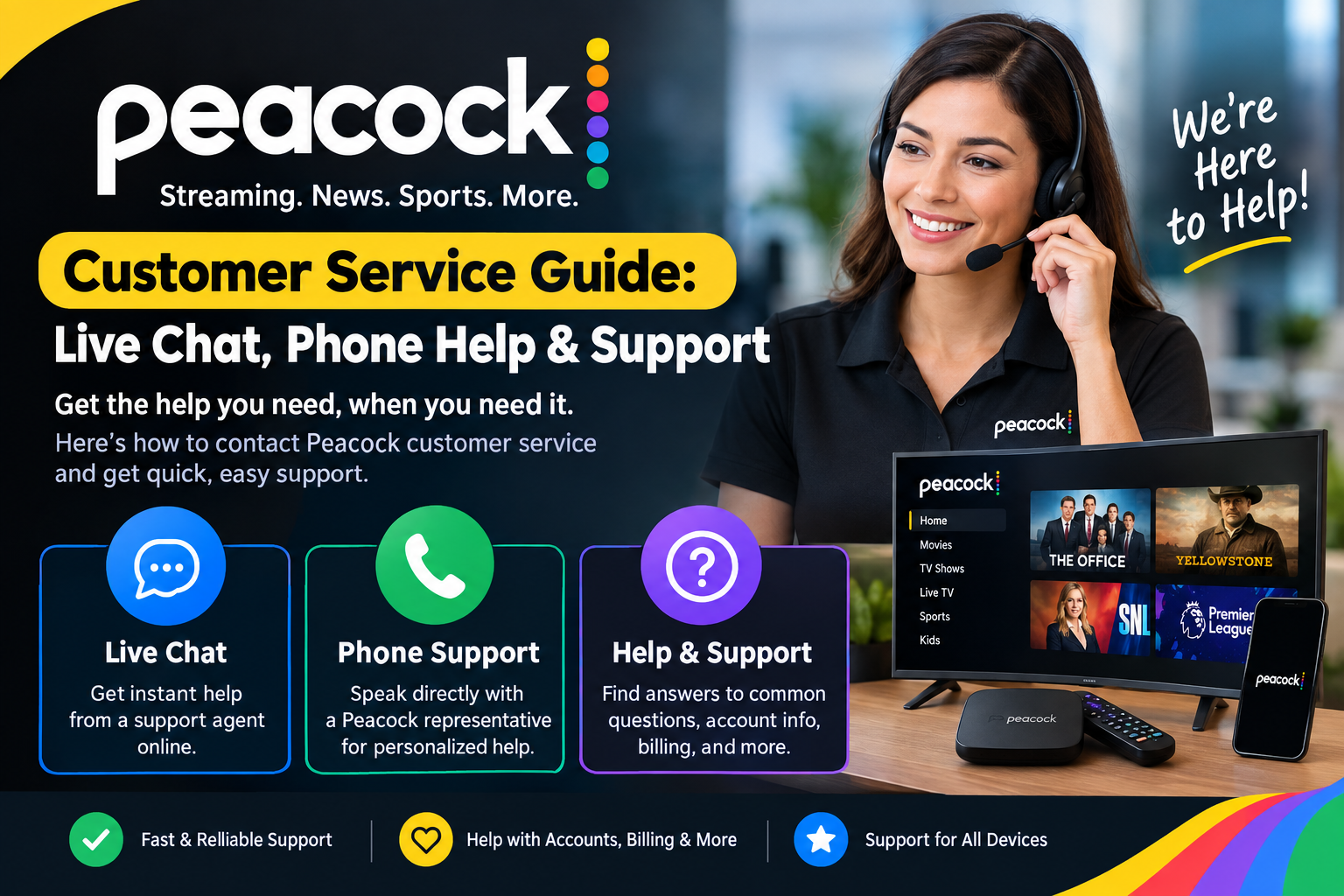
If you need Peacock customer service, you probably want a quick answer. Maybe your Peacock app will not open. Perhaps your payment looks wrong. You may also have trouble signing in or canceling your plan. The good news is that Peacock provides several online support options. The official Help Center includes guides for common account and streaming problems. Peacock also offers a live-agent chat option through its customer support area. Live-agent support is currently listed as available from 9:00 AM to 1:00 AM Eastern Time. This makes online support the main path for many customers. In this guide, you will learn how to contact Peacock, prepare for support, solve common issues, and avoid unreliable contact information. You will also learn what to do when you cannot find a direct phone number. The goal is simple: help you reach the right support option without wasting time.
What Is Peacock Customer Service?
Peacock customer service is the support system available to help subscribers with account and streaming problems. It covers many common questions about subscriptions, payments, passwords, devices, and playback. Peacock’s Help Center is designed to answer many questions without requiring direct contact with an agent. This can be useful when your problem has a simple solution. You can search the Help Center for a specific problem and follow the listed steps. If those steps do not solve the issue, you can use the available contact options. Peacock also provides a chat option that can connect eligible users with a live support agent. Signing in can make account-related support easier because your account details are available during the support process. Always use Peacock’s official website when seeking assistance. This reduces the chance of using an outdated or misleading support number.
Does Peacock Have a Customer Service Phone Number?
Many people search for a Peacock customer service phone number because phone support feels familiar. However, Peacock’s current official customer-service page does not publish a general phone number for regular streaming support. Instead, it directs customers toward the Help Center, email contact, live-agent chat, and social-media support. This is important because many websites publish phone numbers that may not be official. A number found through a random search should not automatically be trusted. If you need help with a subscription or account, start at Peacock’s official Help Center. This gives you the safest route to current support options. If Peacock changes its contact methods later, the official page should be your first place to check. Avoid sharing passwords, payment details, or verification codes with unknown callers. Protecting your account should always come before finding the fastest possible number.
How to Find the Peacock Customer Service Live Chat
The Peacock customer service live chat option is one of the most useful ways to reach support. Start by opening the official Peacock Help Center. Look for the support or contact option connected to your problem. You may first see automated help or the Peacock Helper Bot. This tool can guide you toward relevant support articles. If additional help is needed, the contact area can provide access to a live agent when available. Peacock currently lists live-agent availability from 9:00 AM to 1:00 AM Eastern Time. Signing into your Peacock account can also help with account-specific problems. Before starting the conversation, write down the exact issue you are experiencing. Include the device you use and any error message you see. Clear information can help reduce repeated questions. Live chat is especially helpful for billing, subscription, login, and technical issues.
What Is the Best Way to Contact Peacock Support?
The best Peacock customer service method depends on your problem. For a simple question, the Help Center may be the fastest option. You can search for answers about passwords, supported devices, streaming errors, billing, and subscriptions. For a problem that needs personal assistance, live chat is usually more useful. You can explain your situation and answer questions from the support agent. Peacock also provides an email contact option through its support area. Social-media direct messages may be another available route. However, sensitive account information should not be posted publicly. I recommend starting with the official Help Center before searching third-party websites. This approach helps you find current instructions and reduces confusion. If your problem involves money, always check your subscription details first. Your billing provider can also matter, especially if you subscribed through another company.
How Can I Reach Peacock Support Without Calling?
If you cannot find a telephone number for Peacock customer service, do not panic. You can still get help online. Peacock’s Help Center provides a large collection of support articles. These articles cover account management, streaming, subscriptions, devices, and other common topics. You can also use the chat function to work through a problem with support. This online approach may be more convenient than waiting on a phone line. It also gives you a written record of your conversation. That record can be useful when a problem requires several steps. If you contact support about billing, keep your payment date and transaction details nearby. Do not send your full card number through chat. Only provide information that Peacock specifically requests through its secure support process. Online support can be especially helpful when you are trying to fix an issue quickly.
How Do I Get Help With a Peacock Login Problem?
Login problems are among the most frustrating streaming issues. Fortunately, many can be fixed without contacting Peacock customer service. First, confirm that you are using the correct email address. Search your email inbox for older Peacock messages if you are unsure. You should also check your spam or junk folder. If you forgot your password, use Peacock’s password-reset process. Make sure your internet connection is working properly before trying again. If the app keeps rejecting your information, close it and reopen it. You can also try signing in through a supported web browser. If you still cannot access the account, contact Peacock through its official support options. Be ready to explain what happens after you enter your login information. Never give your password to a support agent or an unknown person. A legitimate support process should not require you to reveal your password.
What Should I Do About Peacock Billing Problems?
Billing questions often require careful attention because subscription charges can come from different sources. Before contacting Peacock customer service, check where your Peacock subscription was purchased. Direct Peacock subscriptions can show payment information inside the account area. Third-party subscriptions may work differently. For example, subscriptions purchased through Apple, Google, Roku, Amazon, or another provider may require support from that billing company. This distinction can save you a lot of time. Check your account’s payment information and look at the date of the charge. Compare it with your bank or card statement. If the charge still looks incorrect, contact the correct provider. Keep a copy of relevant receipts or confirmation emails. Do not post payment information on social media. When discussing a charge with support, provide only the information needed to identify the transaction. This makes the process safer and easier.
How Can Peacock Customer Service Help With Streaming Problems?
Streaming problems can happen for many reasons. Your internet connection, device, app, or account may be responsible. Before contacting Peacock customer service, try a few simple fixes. Close the Peacock app completely and reopen it. Restart your streaming device and try again. Check whether other apps are working normally. If every service is slow, your internet connection may be the problem. You can also clear the app cache when your device supports that option. Updating the Peacock app may fix older software problems. If the problem continues, uninstalling and reinstalling the app may help. Peacock’s official troubleshooting guidance recommends several of these steps for playback problems. If nothing works, contact support and describe the exact error. Mention your device model and operating system when possible. These details can help support understand whether the problem is device-specific.
Can Peacock Support Help With Subscription Cancellation?
Yes, support information is available for Peacock subscription cancellation. However, the correct cancellation method depends on how you purchased the subscription. If you subscribed directly through Peacock, you can normally manage cancellation through your account. If a third party handles your subscription, that provider may need to process the cancellation. This is why Peacock customer service may ask where your subscription was purchased. Always check your account before assuming Peacock handles the billing. After cancellation, look for a confirmation message or email. Keep that confirmation until the subscription period ends. If you cannot log in, Peacock’s support options can help guide you. Do not cancel a subscription through an unfamiliar website. Use Peacock’s official Help Center or the billing provider connected to your account. This protects you from unnecessary charges and possible scams.
What Information Should I Prepare Before Contacting Support?
Good preparation can make Peacock customer service much easier. Start with the email address connected to your Peacock account. If possible, know which device is causing the problem. You should also write down the error message exactly as it appears. For billing issues, have the charge date and amount available. You may also need to know whether you subscribed directly or through another provider. Avoid sending sensitive information unless Peacock’s secure support process specifically requests it. Never share your account password. You should also avoid sharing complete credit-card numbers. If you are reporting a technical problem, explain what you already tried. For example, tell support if you restarted the device or reinstalled the app. This prevents you from repeating the same troubleshooting steps. A short, clear explanation usually works better than a long message filled with unrelated details.
Is Peacock Customer Service Available 24 Hours?
Peacock’s current official contact page lists live-agent chat availability from 9:00 AM to 1:00 AM Eastern Time. That means live-agent support is not listed as a traditional 24-hour phone service. However, Peacock’s Help Center remains useful outside live-agent hours. You can search support articles for common problems whenever you need them. The automated Peacock Helper Bot is also available through the Help Center. This can help point you toward relevant information. If your issue is urgent, try the Help Center first. You may find a solution without waiting for an agent. For account-specific issues, you can return when live-agent support is available. Support hours can change, so check Peacock’s official contact page before relying on a specific schedule. This is more reliable than an old blog post or social-media comment.
Why You Should Be Careful With Peacock Phone Numbers Online
Searching for a Peacock customer service phone number can produce many different results. Some may be outdated, unofficial, or unrelated to Peacock’s streaming service. This creates a real risk for customers who simply want help. A random number may connect you with someone who is not affiliated with Peacock. You should therefore verify contact information through Peacock’s official website. The current official customer-service page emphasizes online support options rather than publishing a general streaming support phone number. This does not mean every number mentioning Peacock is automatically fraudulent. Some numbers may belong to other Peacock-related services or third-party providers. The safest choice is still to begin with the official Help Center. Never install remote-access software because an unknown person asks you to do so. Never provide passwords or security codes to strangers. A little caution can protect your account and your money.
Can Peacock Help Through Social Media?
Peacock also lists social-media contact options for customer support. Its official customer-service page identifies accounts used for customer-care messages. Social media can be useful for general questions or getting pointed toward the correct support channel. However, you should be careful with private account information. Never post your password, card details, security code, or other sensitive data publicly. If a person contacts you claiming to represent Peacock, verify that the account is official. Fake support accounts can look convincing. For account-specific problems, the official Help Center and secure support tools are usually better choices. Social media is most useful when you need general guidance or want to ask where to find help. Always check the official Peacock website for the latest listed social accounts. Contact methods can change over time, so older articles may contain outdated information.
What Problems Can Peacock Support Help Solve?
Peacock support can help with many different types of problems. Common areas include account access, password issues, subscriptions, payments, devices, and streaming errors. You may also need help when a video will not start. Playback problems can include buffering, black screens, audio issues, or error messages. Support articles provide troubleshooting steps for several of these problems. You can often solve simple technical issues by restarting your app or device. More complicated problems may require contact with an agent. Peacock customer service can also help direct you when your subscription involves another provider. The key is to explain your problem clearly. Avoid describing several unrelated issues in one message. Start with the biggest problem and provide useful details. This gives the support team a clearer picture. It also makes it easier to follow the correct solution.
What If Peacock Customer Service Does Not Solve My Problem?
Sometimes your first support conversation may not fix everything. If this happens, stay organized and keep your previous conversation details. Write down the steps you already completed. Save confirmation emails and relevant support messages. When you contact Peacock customer service again, explain what happened during the first attempt. Tell the new agent which troubleshooting steps failed. If the problem involves billing, clearly state the charge date and reason for concern. If the issue involves streaming, provide your device and error information. You can also ask whether the issue needs escalation. Avoid opening many support requests at the same time unless necessary. Multiple cases can sometimes make the situation harder to track. Patience helps when a technical issue requires investigation. The most important thing is to keep your information accurate and your communication clear.
Quick Peacock Customer Service Facts
| Detail | Information |
| Service | Peacock streaming support |
| Main support location | Peacock Help Center |
| Live-agent option | Available through the support contact area |
| Listed live-agent hours | 9:00 AM–1:00 AM ET |
| General phone number | Not currently published on Peacock’s official contact page |
| Automated help | Peacock Helper Bot |
| Email support | Available through the official contact process |
| Social support | Official Peacock customer-care accounts are listed |
| Account help | Login, account access, subscriptions, and payments |
| Technical help | Streaming, playback, audio, and device issues |
| Best safety practice | Use official Peacock support channels |
Frequently Asked Questions About Peacock Customer Service
1. What is the Peacock customer service phone number?
Peacock’s current official contact page does not publish a general customer-service phone number for its streaming subscribers. Instead, Peacock directs customers toward its Help Center, contact options, email support, live-agent chat, and listed social channels. Because third-party websites may display different numbers, verify any contact information through Peacock’s official website. This is the safest way to avoid outdated or misleading numbers. If you need personal assistance, the live-agent chat option is usually the better starting point. Always protect your password and payment information when seeking help.
2. Does Peacock have live chat support?
Yes. The official Peacock support area provides access to live-agent chat. Peacock currently lists live-agent availability from 9:00 AM to 1:00 AM Eastern Time. You may first interact with an automated helper before reaching a live agent. Signing into your Peacock account can help when your issue involves billing or account information. Have your error message and device details ready before starting the chat. This can make the conversation faster and more useful.
3. What is the telephone number for Peacock customer service?
There is currently no general streaming-support telephone number published on Peacock’s official customer-service page. Therefore, customers should be cautious with phone numbers found on unrelated websites. The official route is to use the Peacock Help Center and its available contact options. If your issue requires personal assistance, use the live chat or email process provided there. Always confirm support details directly through Peacock before sharing account information.
4. How do I contact Peacock about a billing problem?
Start by checking your Peacock account and identifying who handles your subscription billing. Direct Peacock subscribers can review payment information through their account. If another provider handles the subscription, you may need to contact that company instead. Have the charge date and amount ready when contacting support. Do not share your complete card number or password. Clear billing details can help support identify the issue faster.
5. How do I contact Peacock if I cannot sign in?
First, confirm that you are using the correct email address. Search your inbox and spam folder for previous Peacock messages. Then try the password-reset option if necessary. If you still cannot access your account, use Peacock’s official Help Center and contact options. Explain what happens when you attempt to sign in. Include any error message that appears. Never give your password to anyone claiming to provide support.
6. How can I get Peacock help without a phone call?
You can use Peacock’s Help Center, automated Helper Bot, email contact option, live-agent chat, and listed social-media support channels. The Help Center is useful for common questions and technical problems. Live chat is better when you need personal assistance. If you cannot find an answer, use the official contact process. This approach also reduces the risk of using an unofficial phone number or fake support website.
Final Thoughts
Finding reliable Peacock customer service does not have to be difficult. The most important step is using official support channels. Peacock’s Help Center provides answers for many common problems. Its support area also offers live-agent chat during listed support hours. If you are searching for a phone number, remember that Peacock’s current official contact page does not publish a general streaming customer-service number. Be careful with numbers found on third-party websites. For the best results, prepare your account email, device information, error message, and billing details before contacting support. Keep your password and sensitive payment information private. If one solution does not work, explain what you already tried and request additional assistance. A clear message can help the support team understand your situation faster. Bookmarking the official Help Center is also a smart idea. That way, you always have a trusted place to start when another Peacock problem appears.
